Welcome to R5 Movement System
R5 Movement System is an advanced, high-mobility player movement plugin for Unreal Engine 5. Inspired by fast-paced classic shooters and titan mobility games, it delivers fluid sliding with slope acceleration, wall running with camera tilt, wall jumping, and air strafing right out of the box.
Smooth & Responsive Mobility:
Bring exhilarating, fluid movement to your shooter or platformer. Built on top of Unreal's native character movement component with full multiplayer network prediction.
What is R5 Movement System?#
Standard Unreal Engine character movement feels rigid: sprinting stops abruptly, crouching kills velocity, and jumping against walls halts your momentum.
R5 Movement System transforms character handling:
- Momentum-Based Sliding: Sprint into a slide to preserve speed, gaining extra velocity when sliding down downhill slopes.
- Wall Running & Wall Jumping: Latch onto walls seamlessly with smooth camera roll tilt and leap away with directional impulses.
- Air Strafing & Bunny Hopping: Preserve and redirect horizontal momentum smoothly while in the air.
- Double Jumping: Extra vertical kick for enhanced traversal freedom.
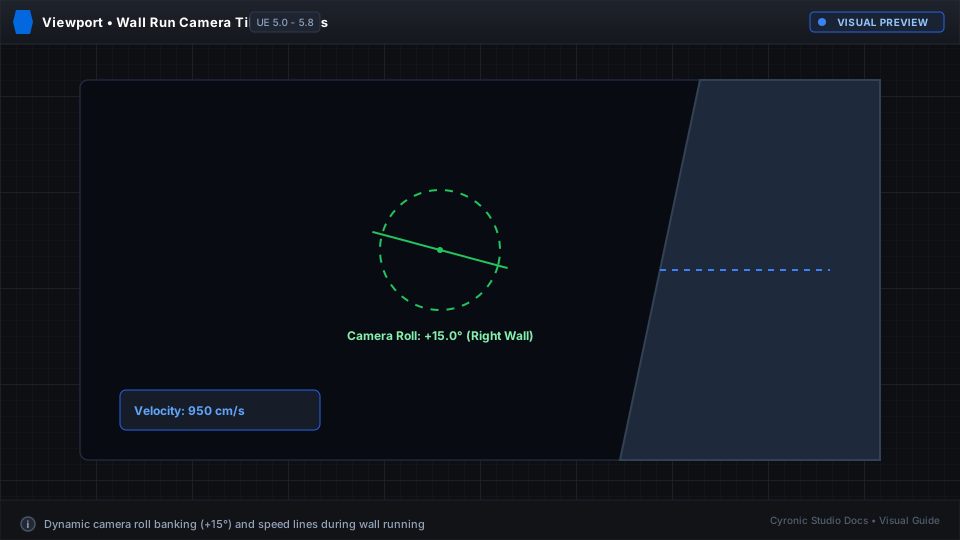
Click to expand
Feature Highlights#
| Capability | Description |
|---|---|
| Momentum Slide | Slide down slopes for speed boosts, seamlessly transitioning into crouching or standing. |
| Wall Running | Automatic wall detection with custom wall run durations and camera roll angles. |
| Wall Jump / Bounce | Push off walls with powerful directional force for verticality and evasive maneuvers. |
| Multiplayer Replicated | Fully integrated with Unreal's client prediction and server correction architecture. |
| Complete Customization | Fine-tune slide friction, gravity scaling, wall run speeds, and tilt angles in the Details panel. |