Quick Start Guide
Follow these steps to activate fast-paced movement on your character.
Step-by-Step Setup#
Set Movement Component Class
Open your Character Blueprint. Under Class Defaults, ensure your Character uses the R5 Character Movement Component.
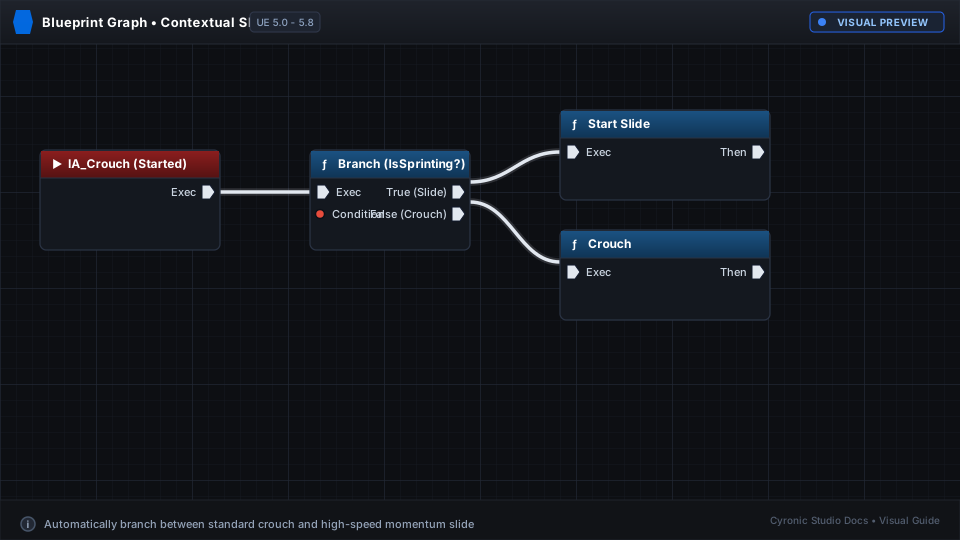
Wire the Slide Action
In your Event Graph, bind your Crouch key (e.g. Left Ctrl or 'C'):
- On Pressed: Call Start Slide if moving fast, or standard Crouch if walking.
- On Released: Call Stop Slide.
Enable Wall Running
Select the Movement Component. In the Details panel under R5 Movement > Wall Run, ensure bEnableWallRunning is checked.
Jump into a Wall in PIE
Press Play. Sprint towards a flat wall, jump, and look slightly along the surface. Your character will automatically attach and begin wall running!
Click to expand