Welcome to MeshLens
MeshLens is a non-intrusive in-viewport diagnostics and optimization overlay for Unreal Engine. Inspired by Unreal's native
stat unit and stat rhi panels, MeshLens gives technical artists, environment designers, and developers instant optimization metrics and automated warning flags for selected Static and Skeletal Mesh actors directly inside the Level Viewport.Instant Viewport Diagnostics:
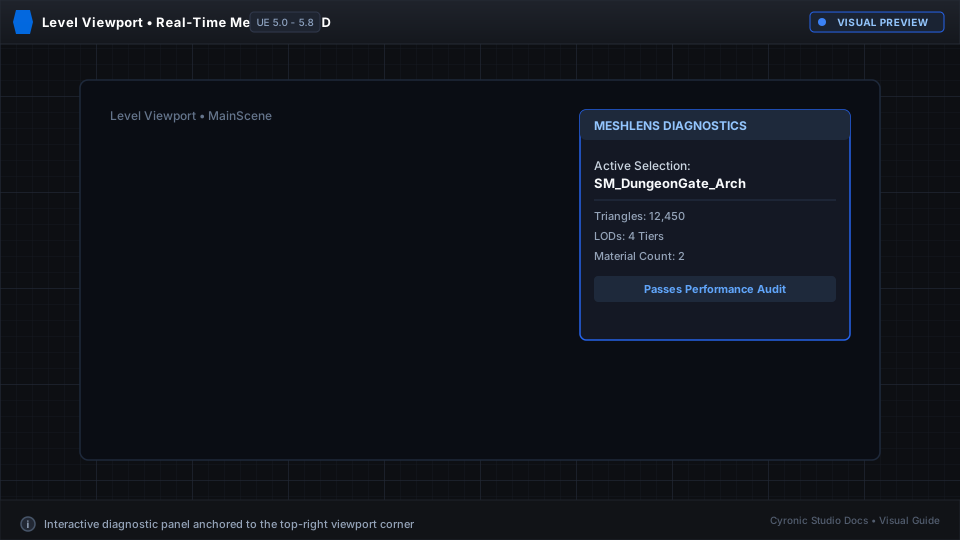
Simply click any mesh in your viewport to see its exact triangle count, vertex count, material slots, estimated draw calls, LOD levels, and collision complexity without opening individual asset editors.
What is MeshLens?#
Profiling 3D assets in large Unreal levels usually requires opening assets one by one, checking static mesh stats windows, or digging through command-line console stats.
MeshLens brings profiling directly into your main creative workflow:
- Heads-Up Viewport Display: See vital statistics anchored neatly in the corner of your active viewport.
- Smart Warning Flags: Instantly alerts you to performance red flags such as missing LODs, excessive material draw calls, or high-poly collision meshes.
- Zero Cooking Footprint: Pure editor plugin that has zero impact on your packaged game build.
Click to expand
Core Metrics Tracked#
| Metric | What It Measures | Why It Matters |
|---|---|---|
| Triangles & Vertices | Active geometry count at the current camera distance. | Prevents polycount budget blowouts on hero props. |
| Material Slots | Number of materials assigned to the mesh. | Directly indicates draw call counts per mesh instance. |
| LOD Levels | Total LODs and the currently active LOD index. | Quickly catch meshes that fail to transition at distance. |
| Collision Complexity | Simple vs. Complex collision topology. | Prevents physics hitches during player movement. |
| Texture Memory | Estimated memory of bound texture maps. | Keeps VRAM usage within target hardware budgets. |
Quick Navigation#
Installation
Add MeshLens to your project or engine in minutes.
Quick Start Guide
Learn how to toggle the overlay and inspect meshes.
Optimization Concepts
Understand draw calls, LOD distance scaling, and collision budgets.
Warning Flags & Features
Learn what triggers warning badges and how to resolve them.