Reticle Concepts & Styling
Dynamic Crosshair is built with precision geometry to ensure crisp rendering at any resolution.
Geometry Structure#
The crosshair is composed of five distinct parts:
- Center Dot: A square or rounded focus indicator in the dead center of the screen.
- Top Arm: Vertical upper bar.
- Bottom Arm: Vertical lower bar.
- Left Arm: Horizontal left bar.
- Right Arm: Horizontal right bar.
Each arm features an Inner Fill and an Outer Outline, allowing you to create sharp borders (e.g., white crosshair with a dark 1px outline) that remain visible against bright skies or dark corridors.
Popular Reticle Presets#
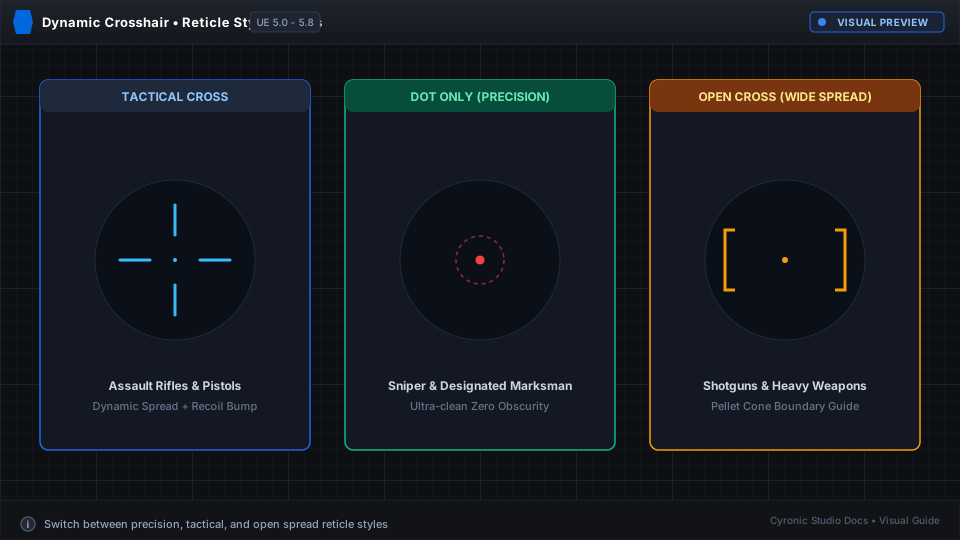
1. Tactical Cross (Default)#
- Arm Width: 2.5
- Arm Height: 6.0
- Base Spread: 16.0
- Outline Width: 1.0 (Black)
- Main Color: White
2. Dot-Only Reticle (Pistol / Precision)#
- In CrosshairParts, disable Top, Bottom, Left, and Right.
- Set Center Dot to enabled with Width: 4.0.
3. Open Cross (No Center Dot)#
- Disable the Center Dot in CrosshairParts.
- Keep all 4 directional arms enabled.
Click to expand