Gameplay Integration Guide
Connect your gameplay events to Dynamic Crosshair using these clean Blueprint and C++ functions.
1. Weapon Recoil Kick on Fire#
When the player pulls the trigger, call CrosshairPulseEffect:
- In your weapon firing logic, get your
CrosshairWidgetRef. - Call Crosshair Pulse Effect.
- Set InPulseSpreadKick to
12.0and InPulseInterpSpeed to18.0.
Recommended Kick Values by Weapon Type#
- Pistol: Kick:
8.0, Decay Speed:20.0 - Assault Rifle: Kick:
6.0, Decay Speed:14.0 - Shotgun: Kick:
35.0, Decay Speed:8.0 - Sniper Rifle: Kick:
25.0, Decay Speed:10.0
2. Aim Down Sights (ADS)#
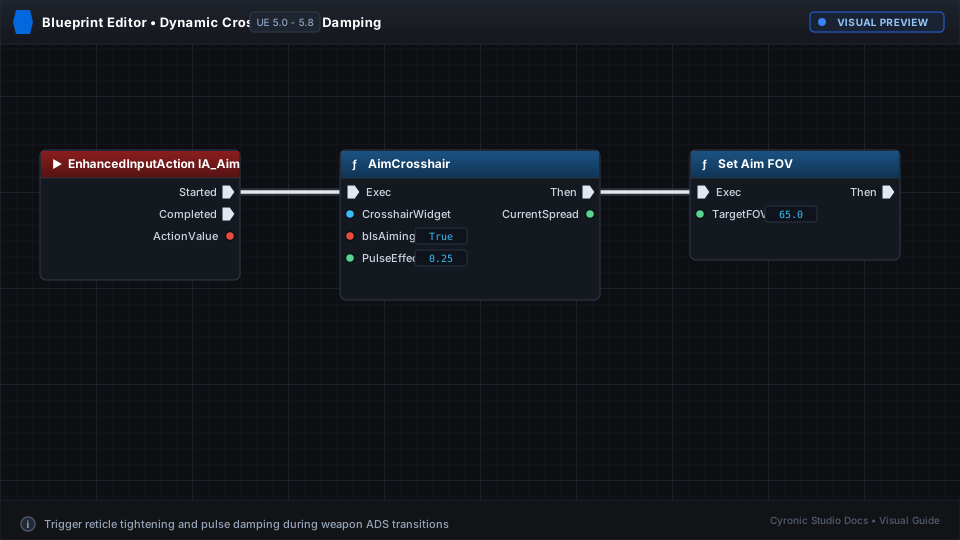
When aiming down sights, call AimCrosshair to tighten the base spread and reduce recoil impulse:
- Aim Pressed: Call
AimCrosshair(bAim: true, LineSpread: 6.0, InterpSpeed: 10.0, PulseEffector: 0.25). - Aim Released: Call
AimCrosshair(bAim: false, LineSpread: 16.0, InterpSpeed: 10.0, PulseEffector: 1.0).
Click to expand