Core Concepts
AutoMember was designed to solve communication overhead while keeping your project architecture clean and light.
Why Cast Chains Cause Problems#
When you use a normal Cast To Character_Boss node, Unreal Engine creates a permanent hard dependency between your current Blueprint and the target Blueprint. When your level loads, the engine is forced to load the entire boss character, including all textures, sound cues, skeletal meshes, and animations—even if the player is just walking through a starting menu!
AutoMember prevents this by decoupling the caller from the target.
Binding Modes Explained#
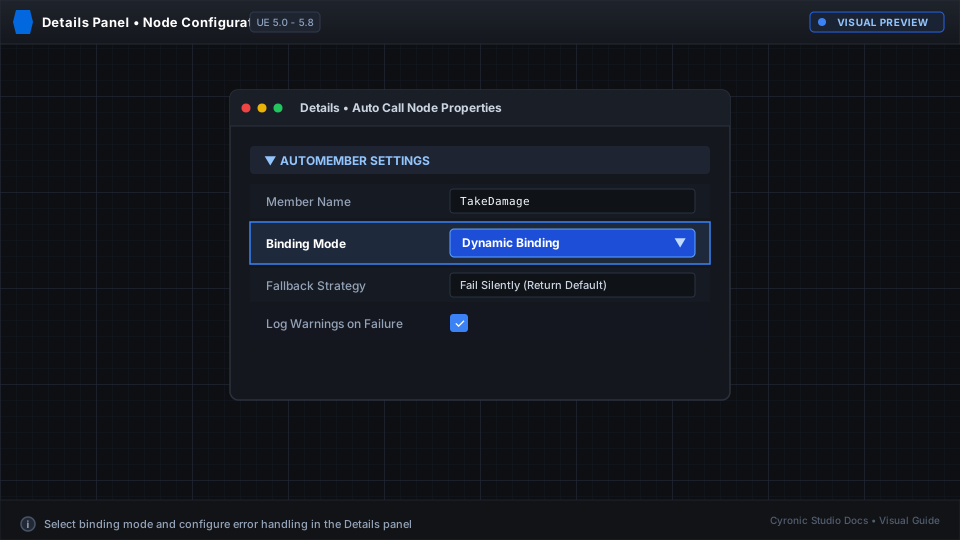
In the Details panel of any AutoMember node, you can choose between two binding modes under AutoMember > Binding:
1. Dynamic Mode (Default)#
- How it works: Uses high-performance cached reflection to find and invoke the member at runtime.
- Reference impact: Zero hard references in cooked builds.
- Safety: If the target object doesn't have the requested function, AutoMember logs a helpful warning in the Output Log without crashing your game.
- Best for: General gameplay, UI menus talking to game actors, inventory pickups, and modular game systems.
2. Static Mode#
- How it works: Compiles directly into native Blueprint bytecode calls at cook time.
- Performance: Maximum raw execution speed with zero reflection overhead.
- Best for: Performance-critical tick routines or tight math loops where hard references are acceptable.
Click to expand