Quick Start Guide
Follow these steps to load a soft-referenced asset without hitching your game.
Step-by-Step Setup#
Create a Soft Reference Variable
In your Character or Weapon Blueprint, add a new variable (e.g.
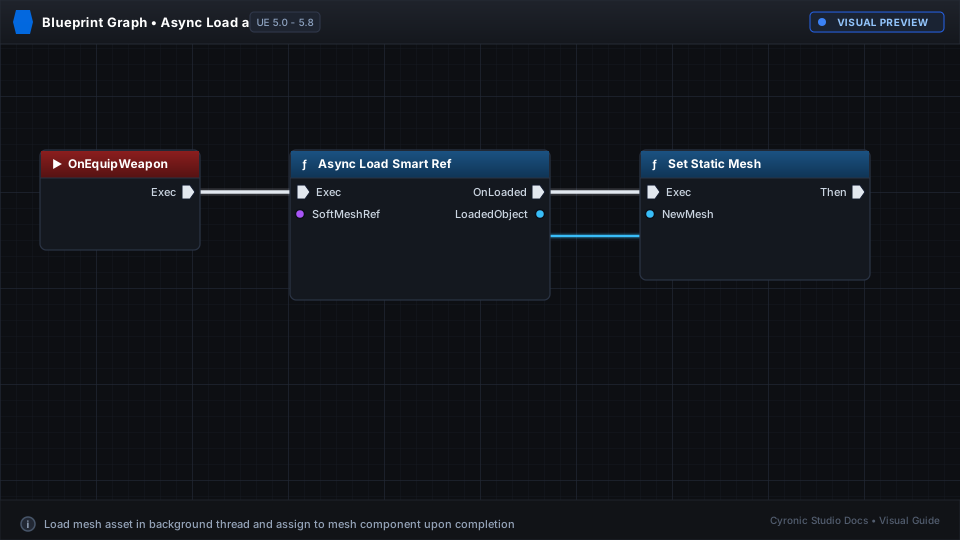
SoftMeshRef). Set its type to Soft Object Reference > Static Mesh.Place Async Load Smart Ref Node
In your Event Graph, right-click and add Async Load Smart Ref. Connect your
SoftMeshRef variable to the Soft Reference pin.Use Loaded Asset
Drag off the On Loaded exec pin to your mesh spawning or assignment logic. The Loaded Asset pin provides the ready-to-use mesh object!
Click to expand
Non-Blocking Execution:
The rest of your game continues to render at 60+ FPS while SmartRefs streams the asset from disk in a background worker thread.