Quick Start Guide
Follow these steps to store game balance data in JSON and read it inside Blueprints.
Step-by-Step Walkthrough#
Create a JSON Data Asset
Right-click in the Content Browser > Miscellaneous > EasyJson Data Asset. Name it
DA_GameConfig.Enter JSON Content
Double-click the asset to open it. In the Details panel, paste your JSON:
json
json{
"player": {
"max_health": 150,
"walk_speed": 600.0,
"name": "Hero"
}
}
Click Save.
Read the Value in Blueprint
Open your Character Blueprint. Right-click and search for Get JSON Int. Connect your
DA_GameConfig asset reference into the Asset pin.Set the Query Path
Set the Path pin to
player.max_health and set the Default Value to 100.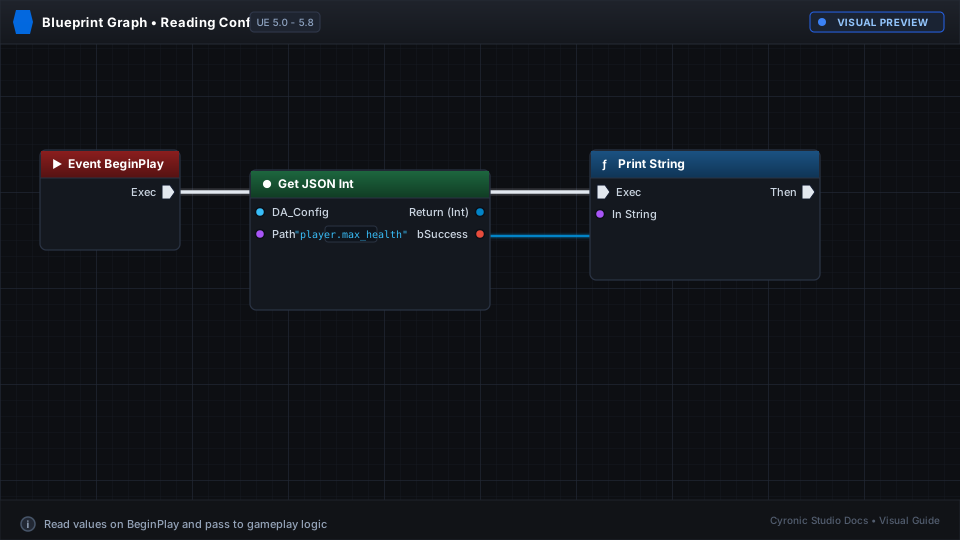
Click to expand
Automatic Type Fallback:
If the path does not exist or has a typo, EasyJson safely returns your specified Default Value without errors.