Features & Node Reference
EasyJson provides a complete suite of Blueprint nodes and C++ methods for working with JSON.
Reading Values (Get Nodes)#
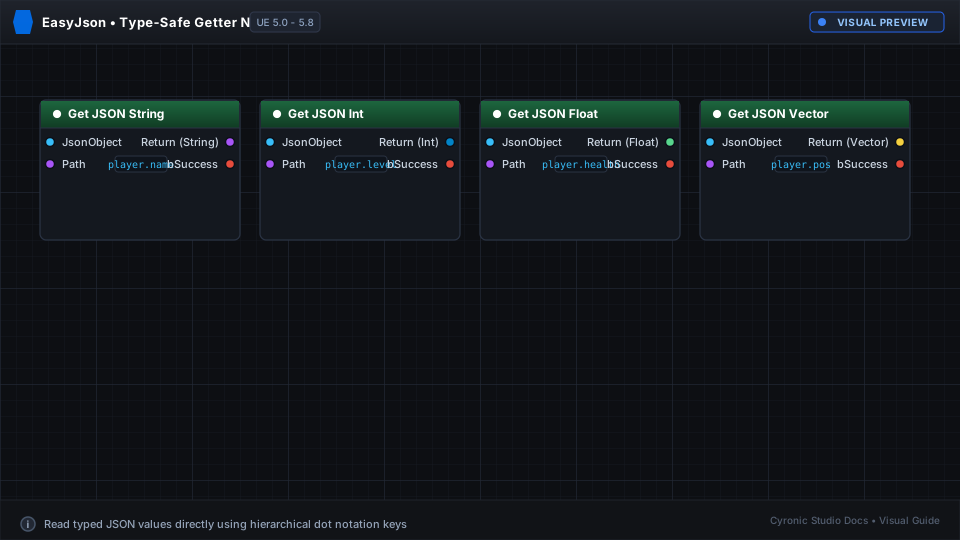
- Get JSON String: Reads text by path with fallback default string.
- Get JSON Int: Reads integer values.
- Get JSON Float: Reads floating point numbers.
- Get JSON Bool: Reads boolean true/false flags.
- Get JSON Vector: Reads
{ "x": 0, "y": 0, "z": 0 }structures directly into anFVector. - Get JSON String Array: Returns a Blueprint
TArray<FString>of array elements.
Click to expand
Modifying Values (Set Nodes)#
- Set JSON String / Int / Float / Bool: Updates the value at the given path. If intermediate parent objects don't exist, EasyJson creates them automatically!
- Set JSON Vector: Writes an
FVectorinto formatted X, Y, Z coordinates.
Working with HTTP Responses#
When your game receives a response from an HTTP API:
- Call Create Transient JSON Asset and pass the raw JSON string.
- Query the returned asset using standard Get JSON nodes or convert it directly to a struct using JSON Asset To Struct.
- No disk files are created; everything runs in fast temporary memory.