Quick Start Guide
Let's build a reactive health variable that updates your HUD automatically.
Step-by-Step Setup#
Create Observable Variable
In your Character Blueprint, add a new variable named
CurrentHealth. Change its type to Observable Float.Bind in Your HUD Widget
Open your HUD Widget Blueprint. In Event Construct, get a reference to your Character's
CurrentHealth variable.Subscribe to Changes
Drag off the
CurrentHealth pin and call Bind Event to Property Changed.Update the Progress Bar
In the event callback, connect the New Value pin directly to your Progress Bar's
Set Percent node.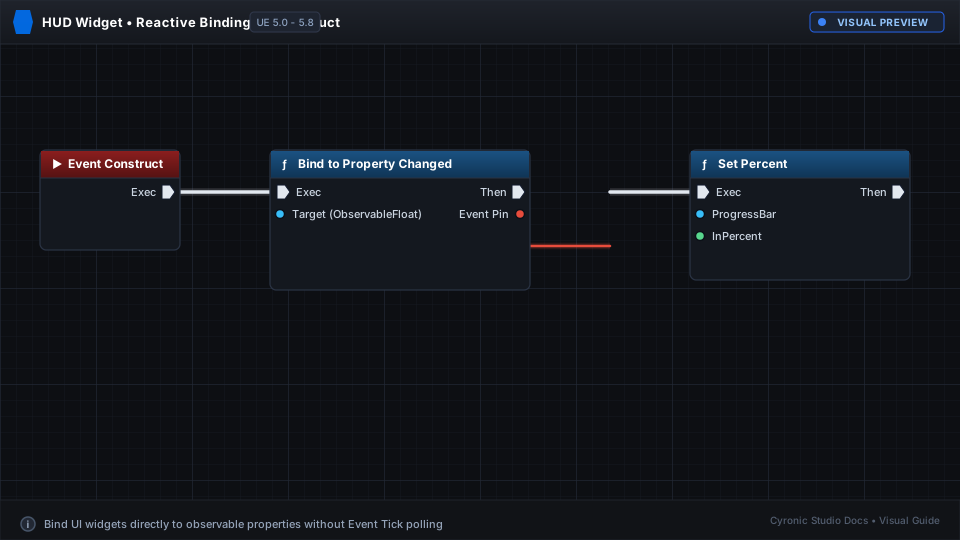
Click to expand
No Tick Required:
Your HUD now updates instantly whenever health changes, with zero performance cost when health stays the same!